> For the complete documentation index, see [llms.txt](https://chainide.gitbook.io/chainide-chinese/llms.txt). Markdown versions of documentation pages are available by appending `.md` to page URLs; this page is available as [Markdown](https://chainide.gitbook.io/chainide-chinese/chainide/5.-nervos-ide/2.-nervos-ide-shi-yong-liu-cheng-yan-shi.md).
# 2. Nervos IDE 使用流程演示
集编写合约,编译合约文件,部署,交互,查询
## 1. 编写合约
进入项目后,文件夹中自带的 readme.md 文件会自动预览。
 在 Explorer 栏中,你可以新建文件(夹),刷新目录,下载文件。也可以直接点击模板中自带的文件。
 点击一个合约文件,即可对代码进行编辑操作。
 ## 2. 编译合约
合约代码编写完成后,点击右侧菜单栏的 Compiler 按钮打开编译模块,选择 Compiler 版本和是否开启 Optimization,然后点击 Compile \*\*\*.sol 启动编译。
## 2. 编译合约
合约代码编写完成后,点击右侧菜单栏的 Compiler 按钮打开编译模块,选择 Compiler 版本和是否开启 Optimization,然后点击 Compile \*\*\*.sol 启动编译。
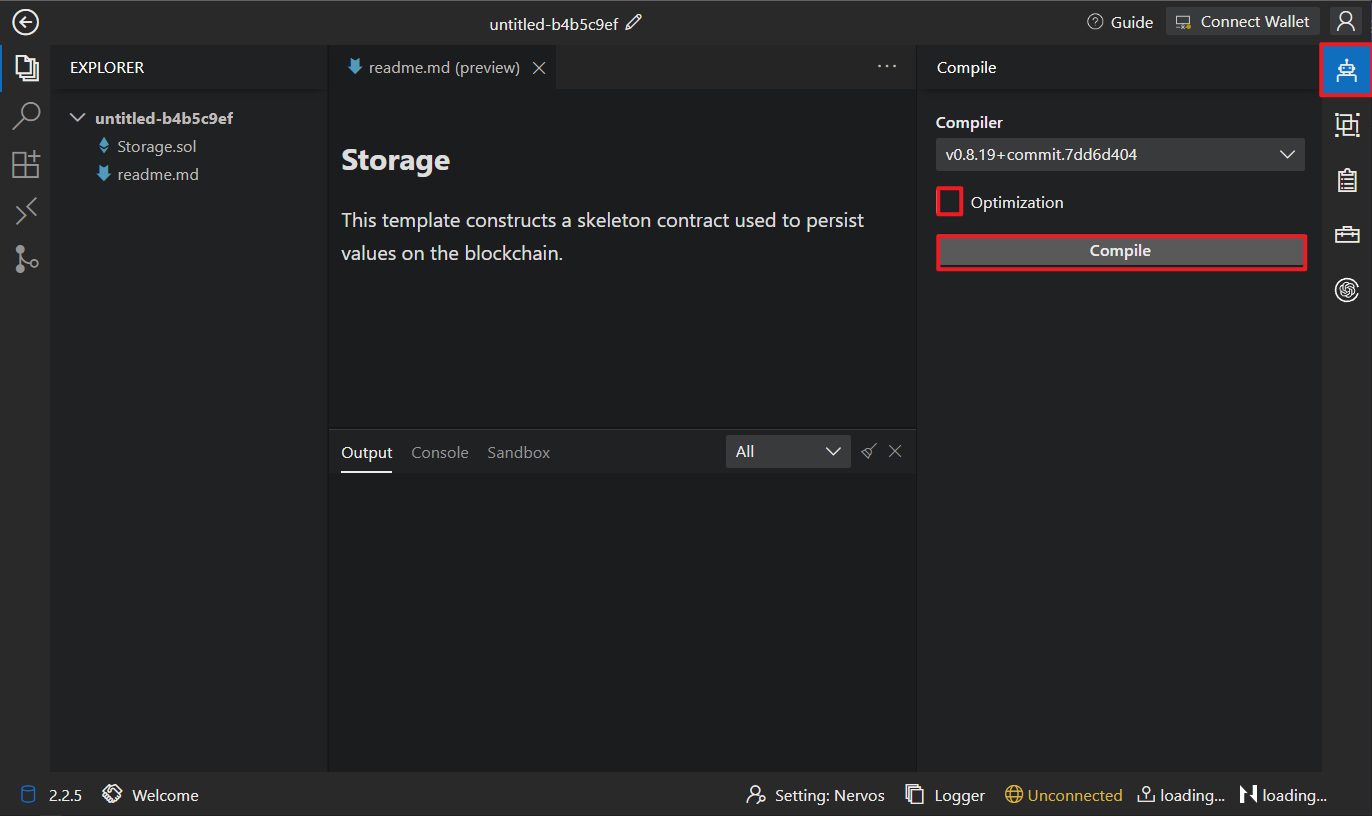 编译成功后,下方会显示 [ABI](https://docs.soliditylang.org/en/latest/abi-spec.html) 和 BYTE CODE ,同时控制台上会输出 Compile contract success 的信息提示。
 ## 3. 连接 Nervos
部署合约前,需要先点击右上角的 Connect Wallet,选择连接到 JavaScript VM (使用 JavaScript 实现的 EVM,主要用于测试) 或 NervosWallet (可部署 Nervos 区块链上)。
## 3. 连接 Nervos
部署合约前,需要先点击右上角的 Connect Wallet,选择连接到 JavaScript VM (使用 JavaScript 实现的 EVM,主要用于测试) 或 NervosWallet (可部署 Nervos 区块链上)。

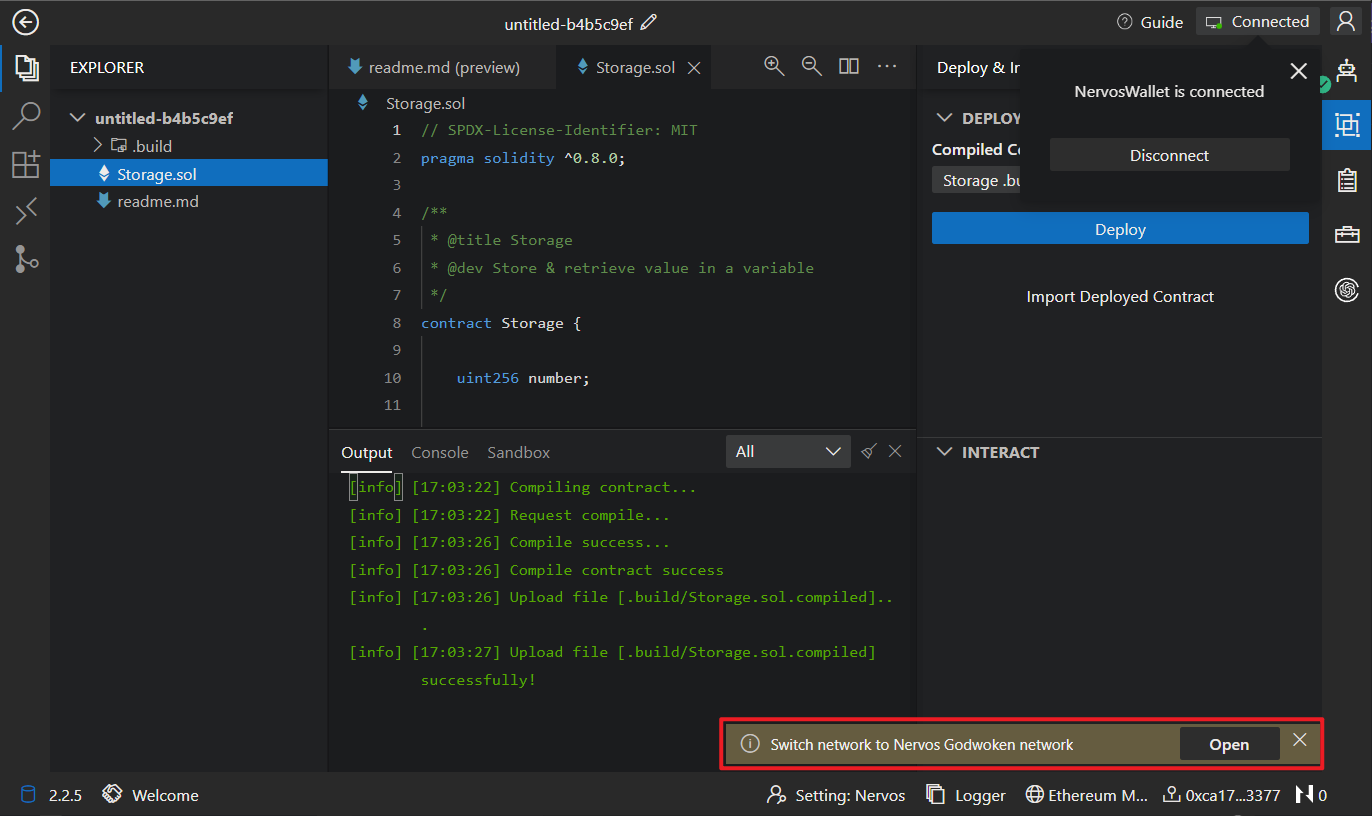
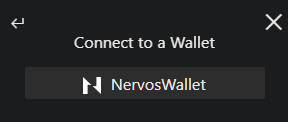 连接 Metamask 后,右下角会出现 banner 引导你连接到 Nervos。
 ## 4. 部署合约
点击右侧的 Deploy & Interaction 按钮,出现部署页与交互页面。选择好已编译的合约后,点击 Deploy进行部署(然后在钱包中点击确认)。合约部署成功后,控制台上会输出现合约部署的结果以及相关信息。
## 4. 部署合约
点击右侧的 Deploy & Interaction 按钮,出现部署页与交互页面。选择好已编译的合约后,点击 Deploy进行部署(然后在钱包中点击确认)。合约部署成功后,控制台上会输出现合约部署的结果以及相关信息。
 除此之外,你还可以点击 Import Deployed Contract 导入已部署过的合约,来进行合约交互。
 ## 5. 合约交互
合约部署成功后,可以对合约进行交互操作。点击已部署好的合约,选择对应的接口,点击 Submit 或 Get 进行交互。
## 5. 合约交互
合约部署成功后,可以对合约进行交互操作。点击已部署好的合约,选择对应的接口,点击 Submit 或 Get 进行交互。
 ## 6. 交易查询
点击 Output 中的交易 Hash,可以查看每笔交易的具体信息。
## 6. 交易查询
点击 Output 中的交易 Hash,可以查看每笔交易的具体信息。
 ## 7. Nervos Chain Sandbox
如果你喜欢使用命令行进行开发,可以打开 Nervos Chain Sandbox,其中已自带 [Hardhat](https://hardhat.org/), [Brownie](https://eth-brownie.readthedocs.io/en/stable/) [Ganache](https://trufflesuite.com/ganache/), [Git](https://git-scm.com/) and [Node.js V16](https://nodejs.org/en)。
## 7. Nervos Chain Sandbox
如果你喜欢使用命令行进行开发,可以打开 Nervos Chain Sandbox,其中已自带 [Hardhat](https://hardhat.org/), [Brownie](https://eth-brownie.readthedocs.io/en/stable/) [Ganache](https://trufflesuite.com/ganache/), [Git](https://git-scm.com/) and [Node.js V16](https://nodejs.org/en)。
 如果你在 Sandbox 中启动了一个端口,并且想要访问该端口,请参考 [ChainIDE-端口转发](/chainide-chinese/5.-port-forwarding.md)。